



Home / Security and HIPAA
Security and HIPAAPatient data, locked down.
A HIPAA-trained team, a signed business associate agreement before any work begins, and software built with the protections hospitals expect.
What protects your patients' data
Required for staff accounts. Until it is set up, only account pages open.
Each person sees only the modules and practices they are allowed to, checked on every action.
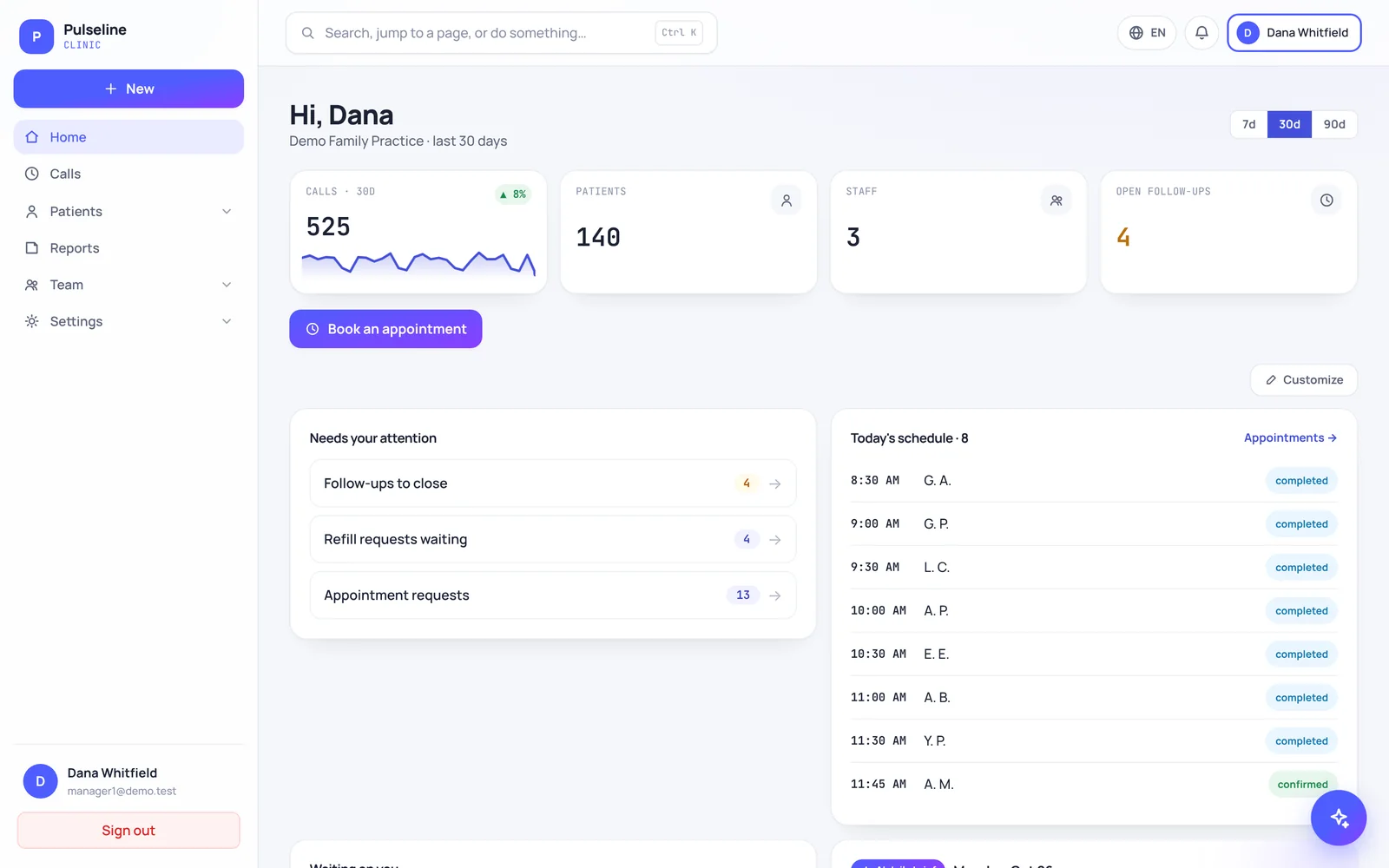
Patient names, dates of birth, call details and medications encrypted with AES-256-GCM.
Every patient-record view and export is logged, and the log cannot be edited or deleted.
Lists show •••• 1234 and age instead of full numbers and birth dates.
15 minutes idle sign-out with a warning, and a 30-minute session limit.
E-signed business associate agreement with a signed PDF for your records.
Encrypted backups, retention settings and legal hold.
How our people handle it
HIPAA-trained staff
Everyone who touches your practice is trained on HIPAA before starting.
BAA before any work
A signed business associate agreement comes first, every time.
Minimum necessary
People only see the practices and modules their role needs.
This page describes our controls. It is not legal advice. Ask us for our HIPAA documentation during your free review.
Secure connections to your systems.
When we connect your EHR, phone system or clearinghouse, the same rules apply to every connection.
Our security program
Last updated October 27, 2026
Draft for review: have your attorney review this text before the site goes live.
On this page
Overview
Protecting patient information is part of every service we provide. Our program combines a HIPAA-trained team, a signed business associate agreement with every client and software built with the protections hospitals expect. This page describes our controls. It is not a certification, and we do not claim any third-party certification we do not hold. For how we meet HIPAA as a business associate, read our HIPAA notice.
Data protection
- In transit: connections to our software and this website are encrypted with TLS (HTTPS), and browsers are told to always use a secure connection.
- At rest: in Pulseline and MDClaim360, sensitive fields such as patient names, dates of birth, call details, appointment reasons and medications are encrypted with AES-256-GCM.
- Masked by default: lists show only the last digits of numbers and an age instead of a full date of birth.
- Integrations: every connection to an EHR, phone system or clearinghouse gets only the access it needs, read only where possible, and can be paused or removed at any time.
Access control
- Two-factor sign-in is required for staff accounts in our software. Until it is set up, only account pages open.
- Role-based access and least privilege: each person sees only the modules and practices they are allowed to, checked on every action.
- Automatic sign-out after 15 minutes idle, with a warning, and a 30-minute session limit.
- Individual accounts only: no shared logins. Access is reviewed when people change roles and removed promptly when they leave.
Monitoring and logging
Every view and export of a patient record in our software is written to an audit log that cannot be edited or deleted, and every integration sync is recorded. We review logs when investigating issues and watch for unusual activity, such as repeated failed sign-ins, which are rate limited.
Secure development
Secrets and API keys are kept in server settings, never in source code. User input is validated and rich text is cleaned before it is stored. Changes are reviewed and tested before release, and we keep third-party components up to date.
This website
- The admin portal is open only to named InCareMD team members, each with an individual account and a role (such as owner, admin, editor or support) that limits what they can see and change.
- Passwords are stored only as salted scrypt hashes, never in plain text. Team members can also sign in with their Microsoft work account.
- Signed-in sessions expire after 12 hours, and an account that is switched off loses access immediately.
- Chats with Ava are tied to the visitor's browser and deleted automatically after 24 hours.
- Security headers tell browsers to block content sniffing, framing by other sites and access to the camera.
Vendors and subcontractors
We choose service providers that support our security and HIPAA obligations, give each one only the access it needs, and sign a business associate agreement with any provider that handles PHI for us. For example, we use Microsoft 365 for email and calendars, and a hosting provider for our servers.
Backups and business continuity
Our software keeps encrypted backups with retention settings and legal hold. Website data is backed up on a regular schedule, with older copies replaced on a rolling basis, so it can be restored if something goes wrong. Our team works across the United States and Australia, and operations run 24/7, so client work continues across time zones.
Incident response
If we suspect a security incident, we act to contain it, investigate what happened, fix the cause and record what we learned. When an incident involves client PHI, we notify the client as our business associate agreement and the HIPAA Breach Notification Rule require, and help them meet their own obligations.
Responsible disclosure
If you believe you have found a security issue in our website or software, please email contact@incaremd.com with the subject "Security report," including the steps to reproduce it. Please give us reasonable time to fix the issue before telling anyone else, do not access or change data that is not yours, and do not run tests that could disrupt our services or our clients. We will acknowledge your report, keep you updated and will not take legal action against good faith research that follows these rules.
What clients can do
- Turn on two-factor sign-in for every user and keep your contact details current.
- Give each staff member their own login and remove access when people leave.
- Never share patient information by regular email, text or this website's forms.
- Tell us right away if you notice anything unusual in your account.
Contact us
- Email: contact@incaremd.com
- Phone: (833) 4-CARE-98 (Mon–Fri 9 AM–5 PM EST; operations run 24/7)
- Mail: InCareMD, 12910 Cloverleaf Center Dr, Suite 110, Germantown, MD 20874, United States
- Mail: InCareMD, 6/13 Hunter St, Parramatta NSW 2150, Australia
Security questions
Do you sign a BAA?
Where is patient data encrypted?
Who on your team can see our patients' information?
What happens to our data if we leave?
See where your practice is losing time and revenue.
Book a free 15-minute practice review. You get your missed calls, stuck claims and a clear monthly price.
(833) 4-CARE-98